Text to PPT AI:

Turn Your Topic into a Stunning Presentation Instantly

Tired of spending hours turning your notes or reports into slides? Now you don't have to ! With WorkPPT's Text to PPT AI, you can simply paste your text — and in seconds, AI turns it into a clean, well-designed PowerPoint or Google Slides deck.

tips-icon No formatting
tips-icon No templates hunting
tips-icon Just instant, professional slides.
4.7 Scorerate
Satisfied Customers
2M+
Slide Creations
78M+

googlemictechtrustool

What Is Text to PPT AI?

Think of it as your personal presentation assistant — you give it a topic or text, and WorkPPT AI maker does the rest.

icon

Understands your input instantly

icon

Turns a topic into a ready-to-present slideshow in seconds

icon

Extracts key ideas, headlines, and talking points

icon

No PowerPoint skills. No formatting struggle. No copy-paste nightmare

icon

Just type, click, and present

That's it. What used to take 2 hours now takes 20 seconds.

Who Should Use Text to PPT AI

Students
Turn study notes into slides before class or make presentation homework.
Teachers
Business Teams
Writers & Marketers

How to Create AI Presentation from Text

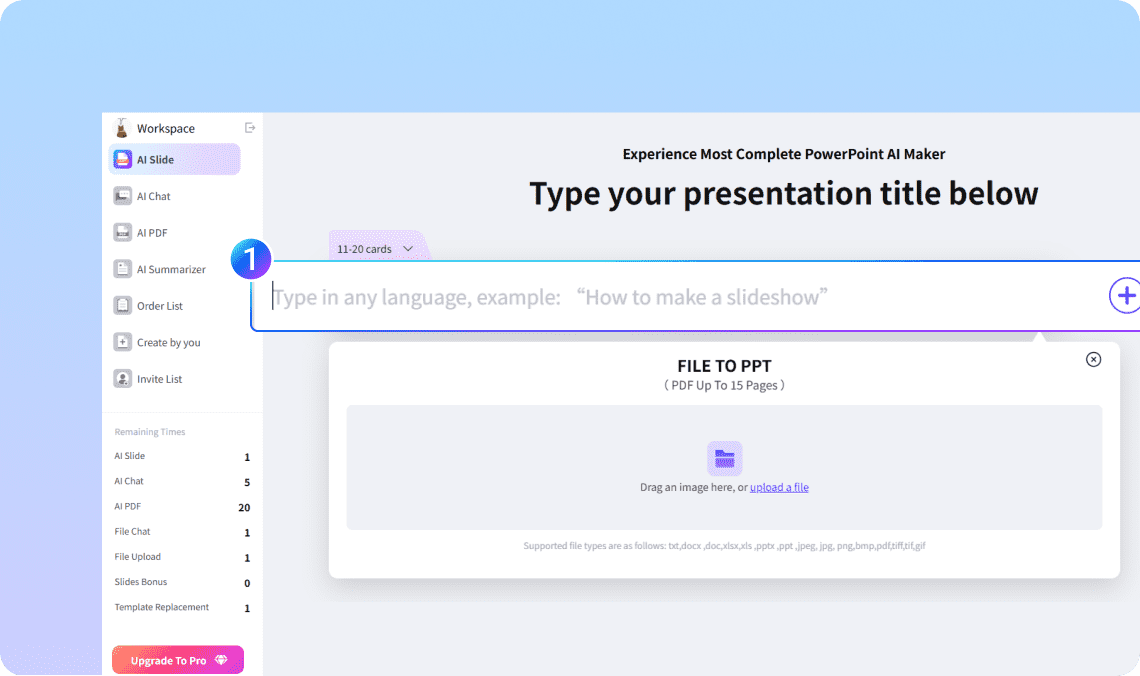
Step 1. Paste your text or topic

Drop in your notes, article, or any written content. You can even type a single topic like "Future of AI in Education."

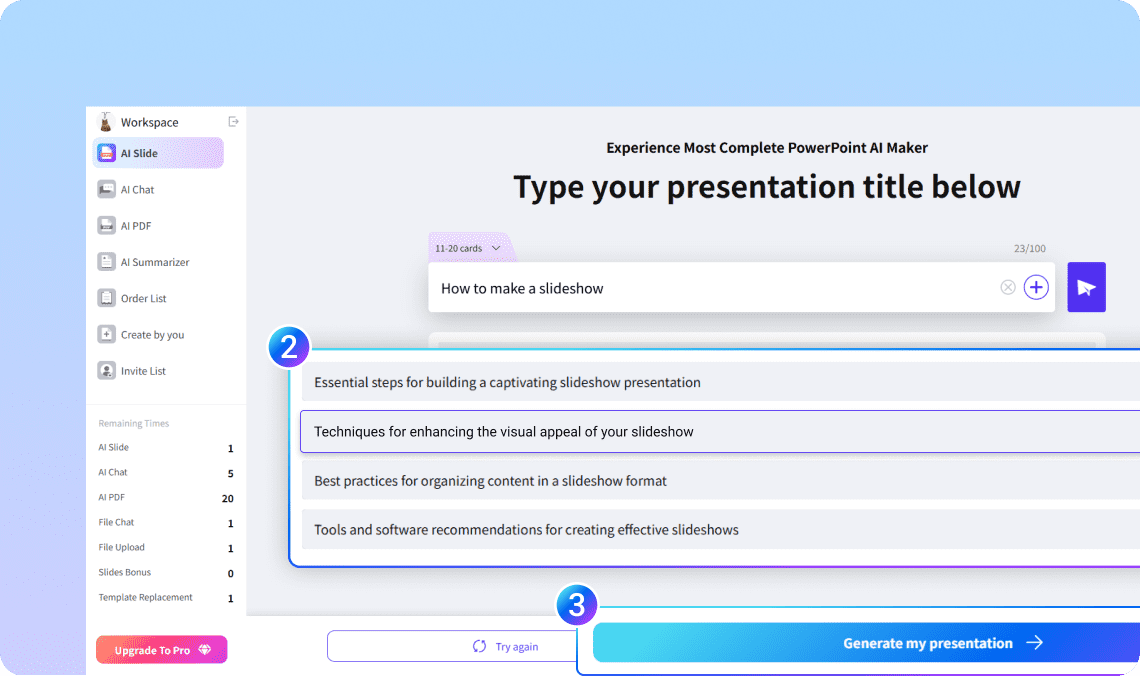
Step 2. Let AI build your outline

In seconds, WorkPPT breaks your text into slides with clear headlines and bullet points.

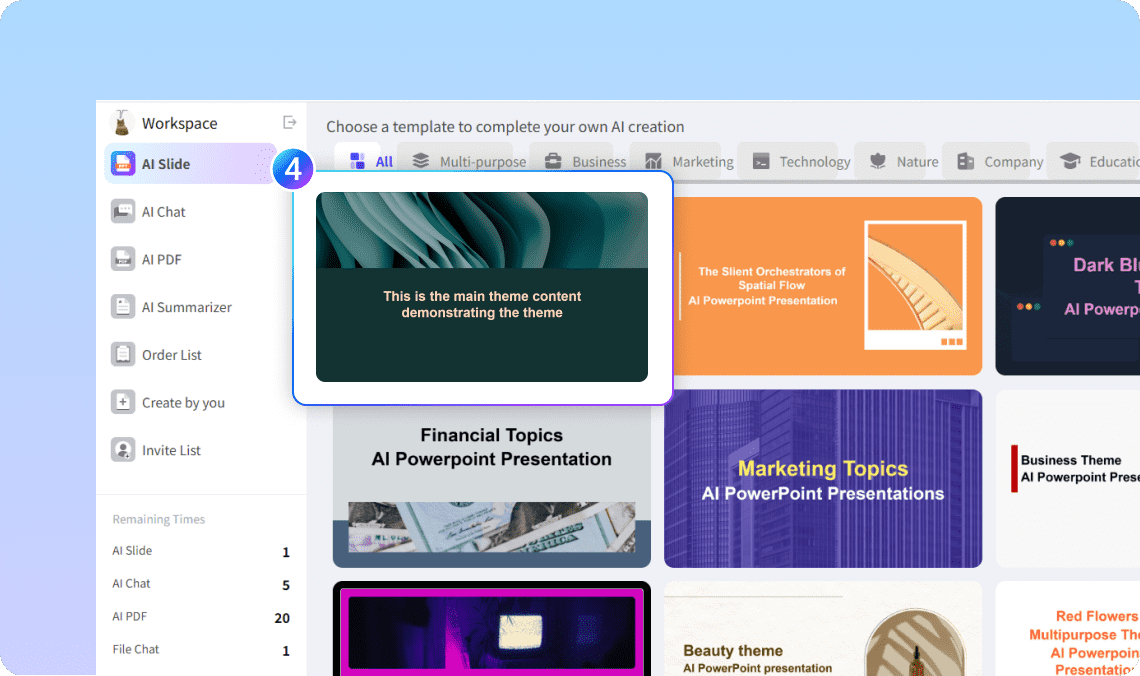
Step 3. Choose your design

Pick from 5000+ modern templates — clean, corporate, minimal, or creative.

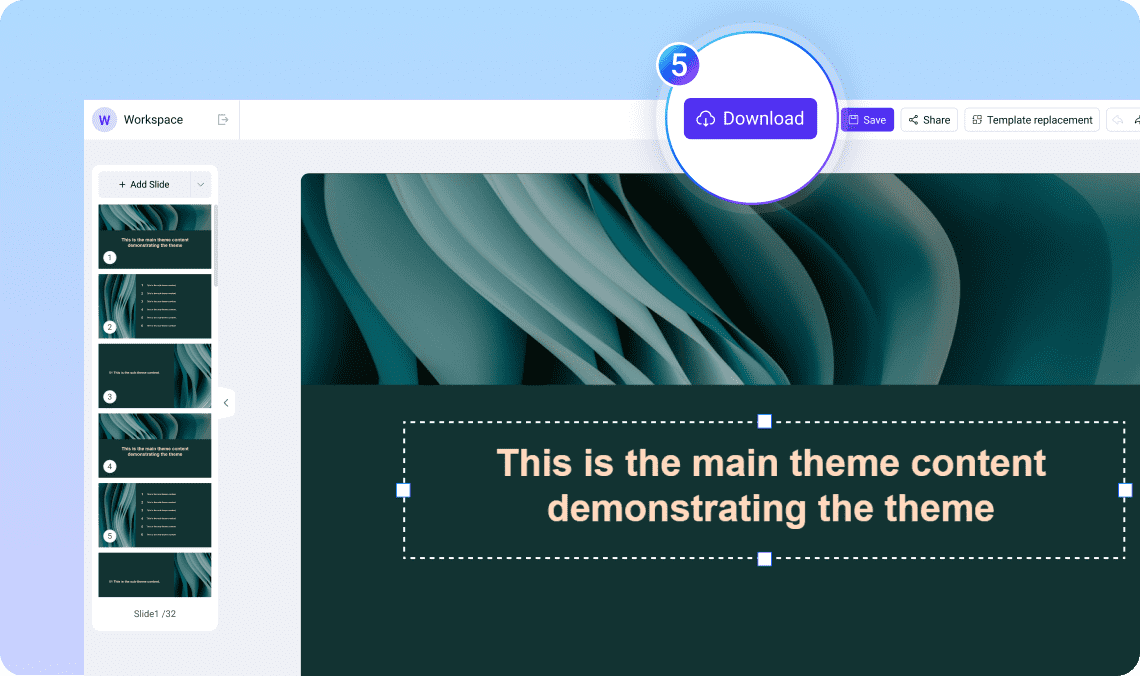
Step 4. Edit and Export

You can edit the slides as you want. Once satisfied, download instantly as PowerPoint (PPTX), PDF, or image — ready to present or share.

Why Choose WorkPPT's Text to PPT Generator

WorkPPT isn't just another "AI tool." It's built to make real presentations — editable, exportable, and professional.

Smart Text Understanding

Smart Text Understanding

Detects structure, tone, and topic flow automatically.

Multilingual Support

Multilingual Support

Works with English, Aric, Spanish, and more.

Instant Design

Instant Design

5000+ Beautiful layouts that fit your message

Free Plan Available

Free Plan Available

Try text-to-PPT AI free, no credit card needed.

Full Export Options

Full Export Options

PPTX, PDF, PNG — ready for any meeting or classroom.

All in One AI Tools

All in One AI Tools

Boost efficiency with 10+ built-in AI productivity tools.

More Ways to Create with AI

WorkPPT isn't limited to text. You can also convert:

PDF to PPTright

Upload a document, and AI turns it into clean slides.

Word to PPTright

Transform your article or report into a deck.

Excel to PPTright

Turn data into charts and summaries automatically.

Image to PPTright

TGenerate slides from visuals or screenshots.

FAQ About Text to PPT AI

1

What is AI text to PPT?

AI Text to PPT is a tool or feature that automatically turns written text into a complete PowerPoint presentation. Instead of designing slides manually, you simply paste your text—such as notes, an outline, an article, or a report—and the AI analyzes the content, summarizes key points, and organizes them into slide titles, bullet points, and layouts.
2

Is WorkPPT's text-to-PPT AI free?

Yes. You can start for free and export basic slides instantly.
3

Can it handle long text?

Absolutely. Whether it's a single paragraph or a 10-page report, AI will summarize and structure it for slides.
4

Does it support multiple languages?

Yes, WorkPPT works with English, Chinese, Spanish, and many more.
5

Can I edit the slides after AI creates them?

Of course. You have full control — edit, rewrite, add visuals, or change design anytime.
6

How accurate is it?

WorkPPT doesn’t just copy your text — it understands meaning, identifies sections, and builds logical flow. You can then polish it with one click using AI editor.

Ready to Turn Text into Slides?

You've already written your ideas — now let AI make them shine.

slognTips Stop formatting. Start presenting