AI Picture to PPT

Transform Images to PowerPoint with Ease!

Say goodbye to tedious manual editing and let WorkPPT’s AI technology swiftly transform your images into stunning slides. WorkPPT empowers you to deliver captivating presentations that stand out!

tips-icon No formulas
tips-icon No templates hunting
tips-icon Just instant, professional slides.
4.7 Scorerate
Satisfied Customers
2M+
Slide Creations
78M+

googlemictechtrustool

What Is Image to PPT AI?

AI Picture to PPT is an advanced technology that converts various image formats (like JPEG, PNG, JPG) directly into editable PowerPoint slides, saving you valuable time:

icon

Instant conversion reduces manual effort.

icon

Compatible with various image formats to meet diverse needs.

icon

Slides generated are fully editable for flexible customization.

icon

Automatically optimizes design, ensuring every slide looks professional.

icon

No PowerPoint skills. No formatting struggle. No copy-paste nightmare.

That's it. What used to take 2 hours now takes 20 seconds.

Who Should Use Pic to PPT AI

Students
One-click conversion of research data and experimental results.
Teachers
Business Teams
Marketers

How to Convert Image to PowerPoint

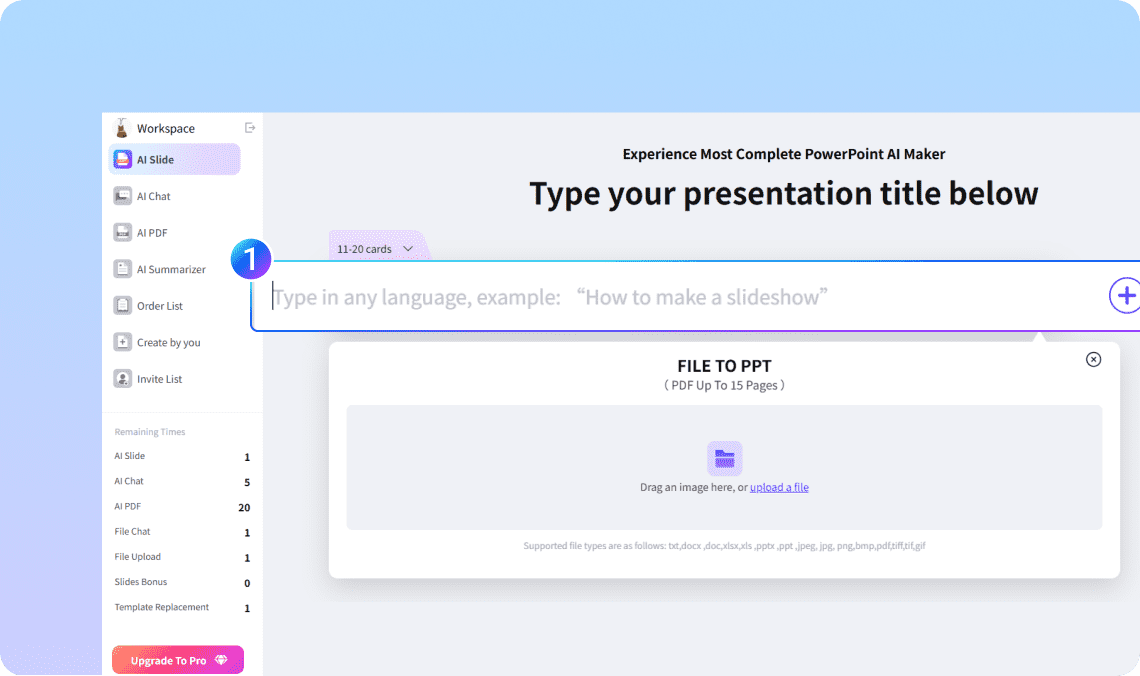
Step 1. Upload Your Images

Simply upload your JPEG, PNG, or JPG images. Hit the convert button for quick PPT generation."

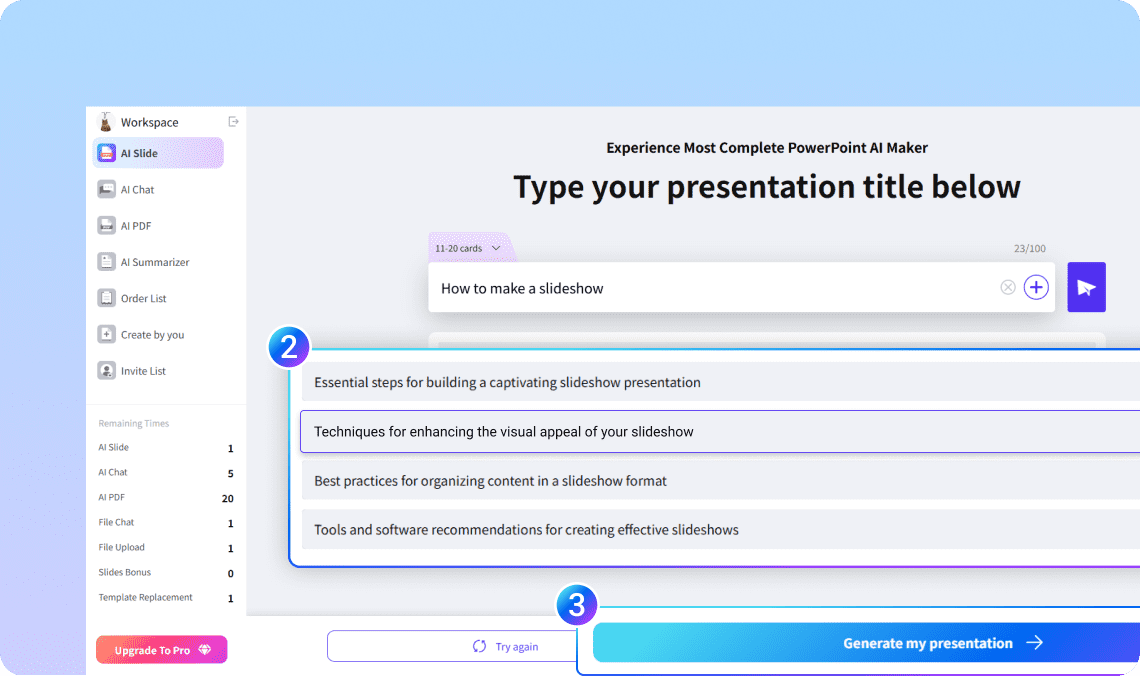
Step 2. Let AI build your outline

In seconds, WorkPPT analyze your picture into slides with clear headlines and bullet points.

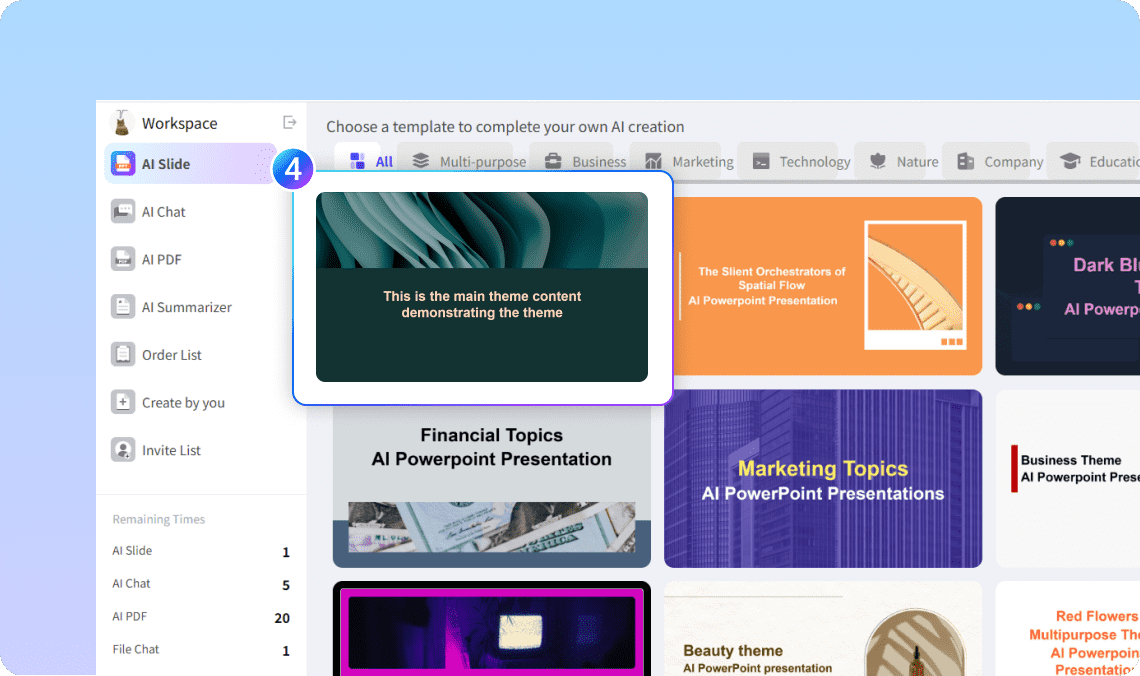
Step 3. Choose your design

Pick from 5000+ modern templates — clean, corporate, minimal, or creative.

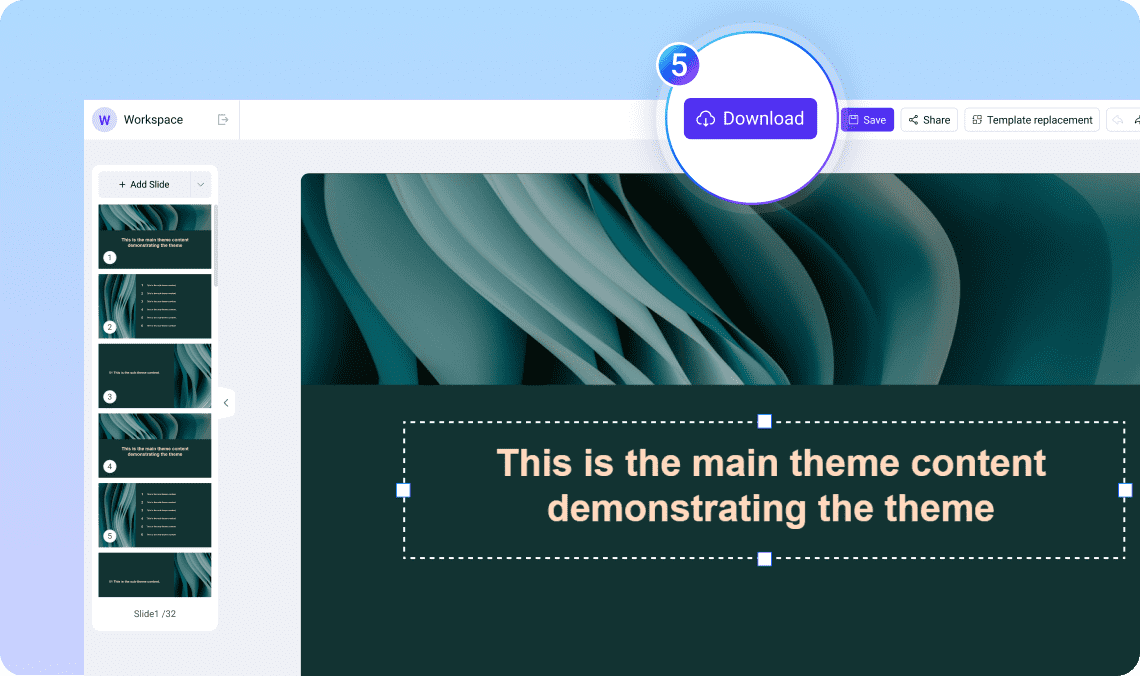
Step 4. Edit and Export

You can edit the slides as you want. Once satisfied, download instantly as PowerPoint (PPTX), PDF, or image — ready to present or share.

Why Choose WorkPPT AI Picture to PPT

WorkPPT isn’t just another “AI tool.” It’s built to make real presentations — editable, exportable, and professional.

Fast and Efficient

Fast and Efficient

Instant conversion from images to slides in 1-click.

Multilingual Support

Multilingual Support

Works with English, Aric, Spanish, and more.

Instant Design

Instant Design

5000+ Beautiful layouts that fit your message

Free Plan Available

Free Plan Available

Try pic to PPT AI free, no credit card needed.

Full Export Options

Full Export Options

PPTX, PDF, PNG — ready for any meeting or classroom.

All in One AI Tools

All in One AI Tools

Boost efficiency with 10+ built-in AI productivity tools.

More Ways to Create with AI

WorkPPT isn't limited to text. You can also convert:

PDF to PPTright

Upload a document, and AI turns it into clean slides.

Word to PPTright

Transform your article or report into a deck.

Excel to PPTright

Turn data into charts and summaries automatically.

Text to PPTright

Plaste or type text, and AI turns it into clean slides.

FAQ About Converting Excel to PPT AI

1

What is AI image to PPT conversion?

AI image to PPT conversion refers to the use of artificial intelligence to automatically transform images into editable PowerPoint slides, making it easier to create presentations.
2

What types of images can be converted to PPT?

Most AI tools support various image formats such as JPEG, PNG, and JPG for conversion into PowerPoint slides.
3

How does the conversion process work?

The AI analyzes the content of the images, identifies key components, and organizes them into visually appealing slides with appropriate layouts.
4

Is the converted PowerPoint editable?

Yes, once converted, the PPT slides are fully editable, allowing you to modify text, images, and layouts as needed.
5

How long does the conversion take?

The conversion process is typically quick, often taking just a few seconds depending on the number and size of the images being uploaded.
6

Are there any limitations on file size or number of images?

Most tools have limits on file size and the number of images you can convert at once. Check the specific guidelines for the tool you are using.
7

Can I convert images in bulk to PPT?

No. Currently WorkPPT only support 1 picture!
8

What if the converted slides don't meet my expectations?

If the results are not satisfactory, you can often rerun the conversion with different settings or manually adjust the slides in PowerPoint.

Ready to Convert Pic to Slides?

Experience WorkPPT Today and Make Your Presentations Effortless!

slognTips Stop formatting. Start presenting